AGILENT TECHNOLOGIES
Accessibility advocate
Web, mobile
Forever ongoing
BACKGROUND
Accessibility is not a feature, it's a foundation.
I believe that accessibility is a basic human right, not a compliance checkbox. After leading the accessible product development at Akido Labs, I brought that perspective to Agilent Technologies. My work was focused on establishing accessibility as a consistent standard across teams and processes.
THE CHALLENGE
Agilent lacked a formal accessibility program and was not WCAG compliant
THE GOAL
Integrate accessibility into all stages of the digital product lifecycle, aligning with WCAG AA compliance
KEY INITIATIVES
A step-by-step approach to establishing accessibility at Agilent Technologies
[01]



[02]
[03]

[04]
[05]
[06]
[07]
RESULTS
We see and receive a lot of enthusiasm and engagement in the accessibility live of our company. It turned into real changes in how we build projects:
Accessibility integrated from the design phase in every digital project, with annotations added to acceptance criteria
All designs follow WCAG accessibility standards
Accessibility testing included in the User Acceptance Testing process
Custom responsiveness became the new standard, replacing the auto-resizing Womp service that wasn't accessibility-friendly

ADD-ON
Keep scrolling for a closer look at one of my accessibility projects at Akido Labs
BACKGROUND
StepQ is a web survey designed to gather feedback from vulnerable populations
In partnership with the California Department of Social Services, Akido Labs used the StepQ web app in outreach campaigns to efficiently collect real-time insights on the current needs of Resource Families and people experiencing homelessness.
THE CHALLENGE
Many survey participants had visual impairments or lacked appropriate corrective lenses, making it almost impossible for them to complete the survey


THE GOAL
Reconfigure StepQ for full accessibility, with support for screen readers, magnifiers, and broader disability needs.
RESEARCH & EVALUATION
My role involved foundational research into accessibility, focusing on understanding how individuals with diverse disabilities interact with technology. I gathered insights from various resources, including WCAG guidelines, accessibility articles, Coursera courses, and live discussions.
Based on the foundational research, we developed user stories that guided our accessibility evaluation.
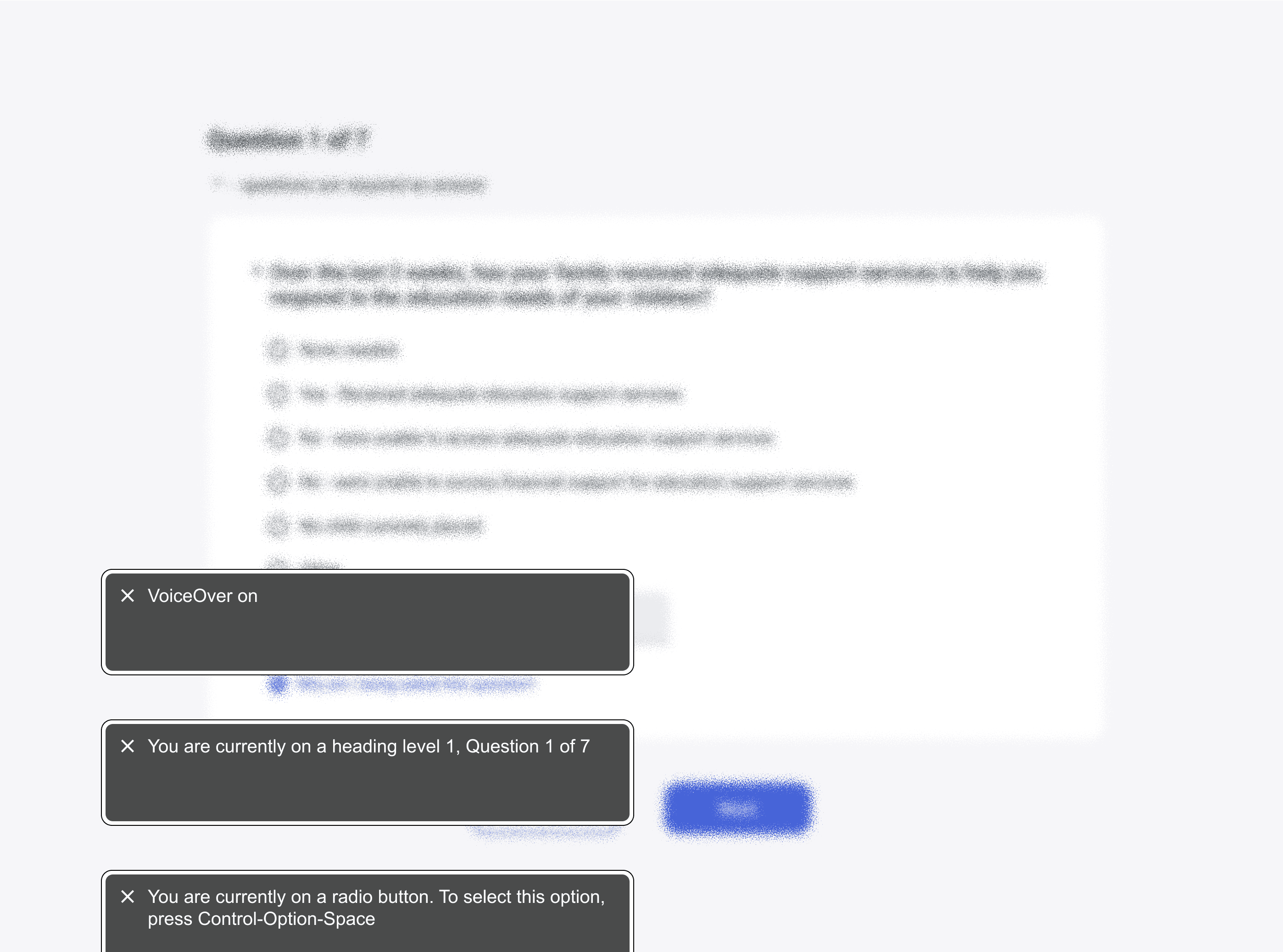
I conducted automated testing using Axe DevTools and manually reviewed the user flow with JAWS and VoiceOver. Key issues included missing text alternatives, low color contrast, invisible focus indicators, poor visual hierarchy, and absent ARIA landmarks. To support developer hand-off, I documented all findings in a structured spreadsheet and annotated relevant pages with visual references for clarity.
A total of 40 issues were identified, with 17 classified as critical.


DEVELOPMENT & USABILITY TESTING
To effectively refine our product, we integrated iterative usability testing with blind users from the Wayfinder organization. They participated in five sessions, allowing us to test between development iterations.
In our first session, we asked participants to complete the survey from start to finish, which revealed too many issues at once and made it hard to gather focused feedback. To improve the process, we shifted to testing one or two related features per session. We also introduced “pause points” ahead of each test—pre-agreed moments to collect feedback without interrupting the screen reader flow.